Appearance
Reporting
Use Reporting to monitor ACN results after store offers, marketplace offers, or outgoing campaigns are active. Reporting combines the overview dashboard, detailed performance reports, and outgoing ads billing activity.
Overview dashboard
Use the Overview dashboard for a quick snapshot across ACN.
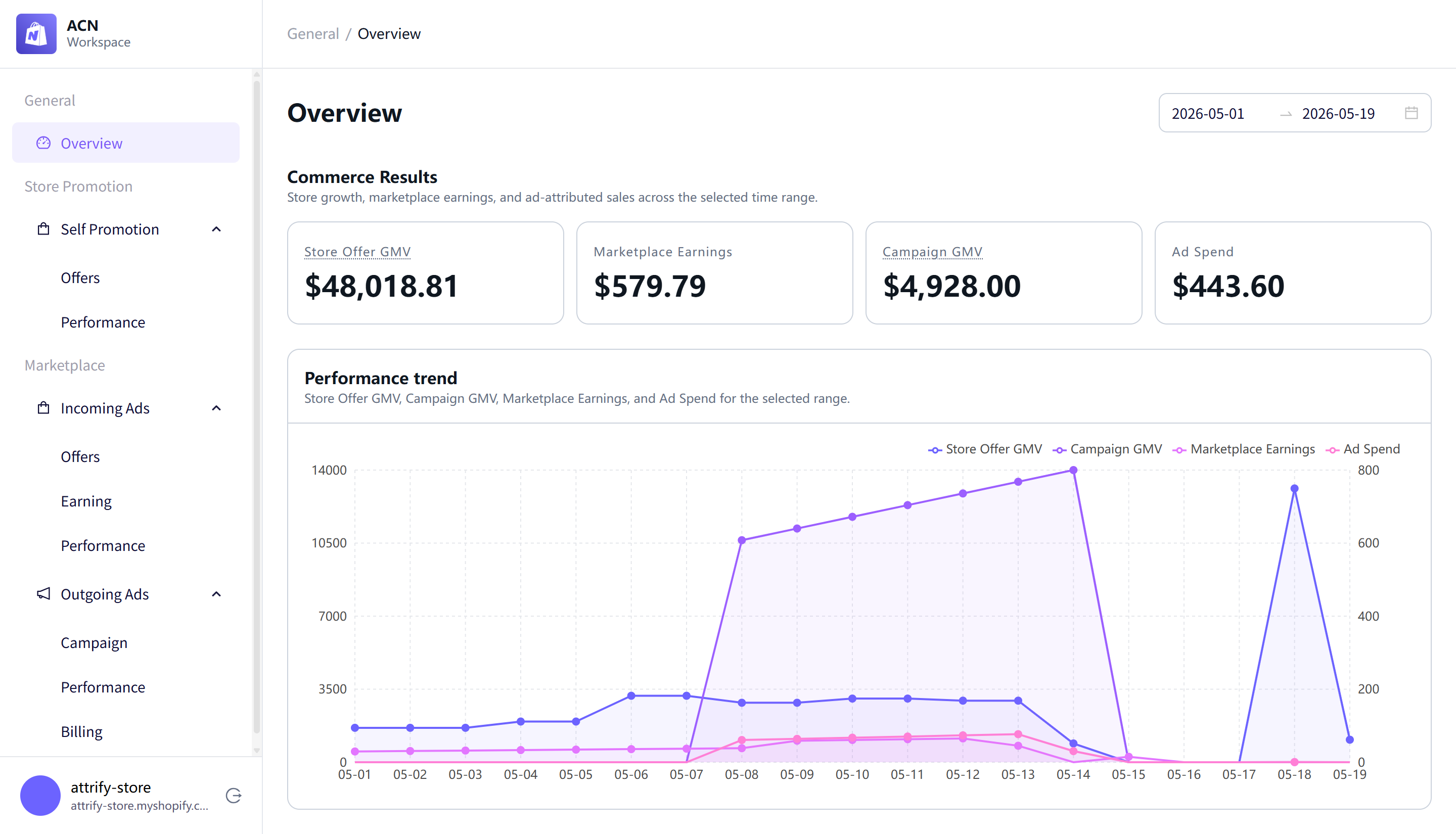
The Overview page includes:
- Store Offer GMV — revenue attributed to store promotion offers.
- Marketplace Earnings — revenue from incoming marketplace offers.
- Campaign GMV — sales attributed to outgoing campaigns.
- Ad Spend — spend from outgoing advertising campaigns.
- Performance trend — a chart comparing Store Offer GMV, Campaign GMV, Marketplace Earnings, and Ad Spend.
Use the date range fields at the top of the page to review results for a selected time range.
Store promotion performance
Use Store Promotion > Self Promotion > Performance to review how store offers perform across the selected date range.
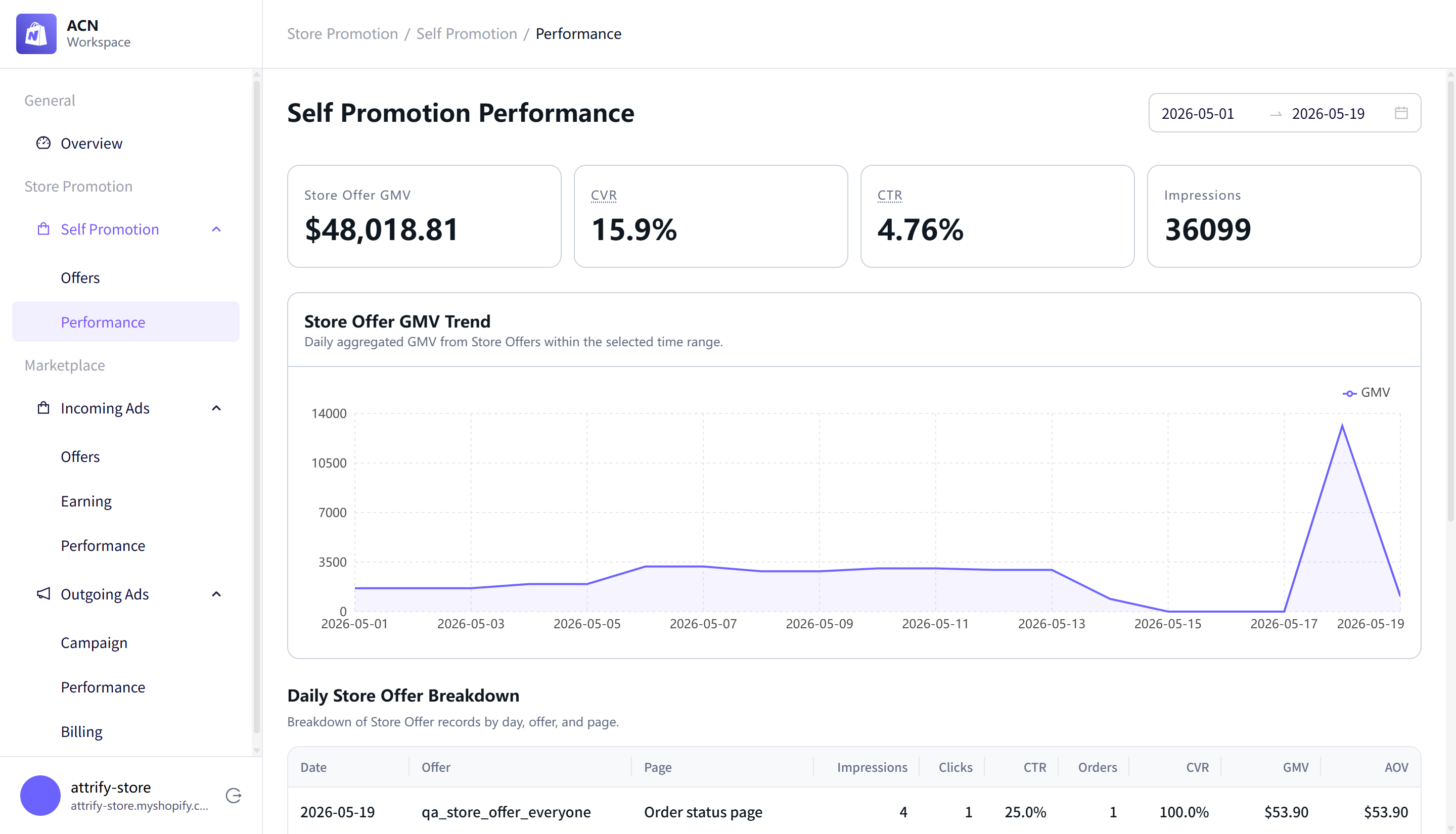
Summary cards include:
- Store Offer GMV
- CVR
- CTR
- Impressions
The daily breakdown table includes Date, Offer, Page, Impressions, Clicks, CTR, Orders, CVR, GMV, and AOV. Use this table to compare offer performance by date, offer, and page placement.
Incoming ads performance
Use Marketplace > Incoming Ads > Performance to review marketplace offer performance.
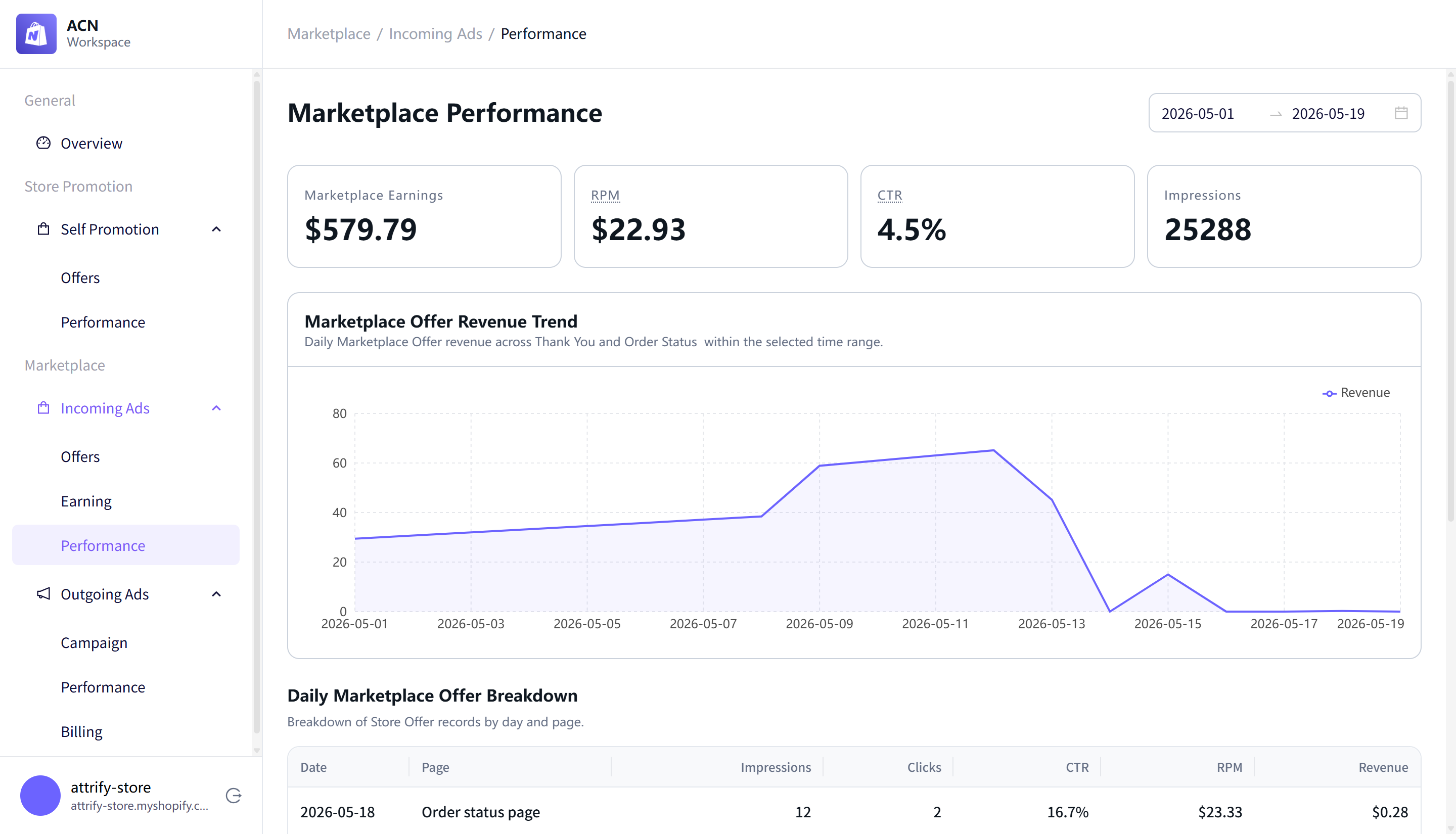
Summary cards include:
- Marketplace Earnings
- RPM
- CTR
- Impressions
The daily breakdown table includes Date, Page, Impressions, Clicks, CTR, RPM, and Revenue. Use this report to understand how incoming marketplace offers perform by date and page placement.
Outgoing campaign performance
Use Marketplace > Outgoing Ads > Performance to monitor outgoing advertising campaign results.
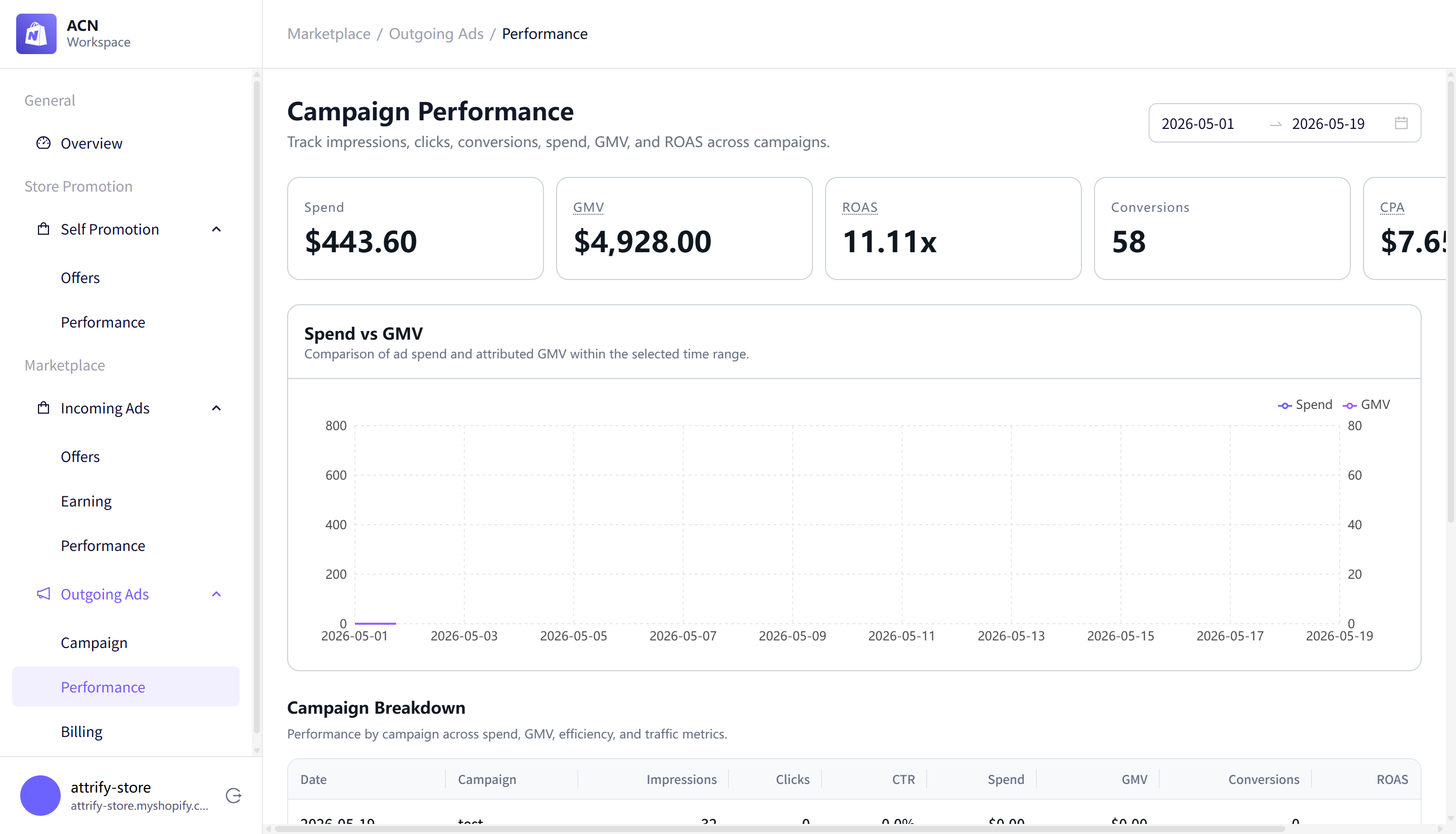
Summary cards include:
- Spend
- GMV
- ROAS
- Conversions
- CPA
The campaign breakdown table includes Date, Campaign, Impressions, Clicks, CTR, Spend, GMV, Conversions, and ROAS. Use this page to compare campaign spend with attributed sales and conversions.
Billing and balance activity
Use Marketplace > Outgoing Ads > Billing to review the balance and activity connected to outgoing advertising.
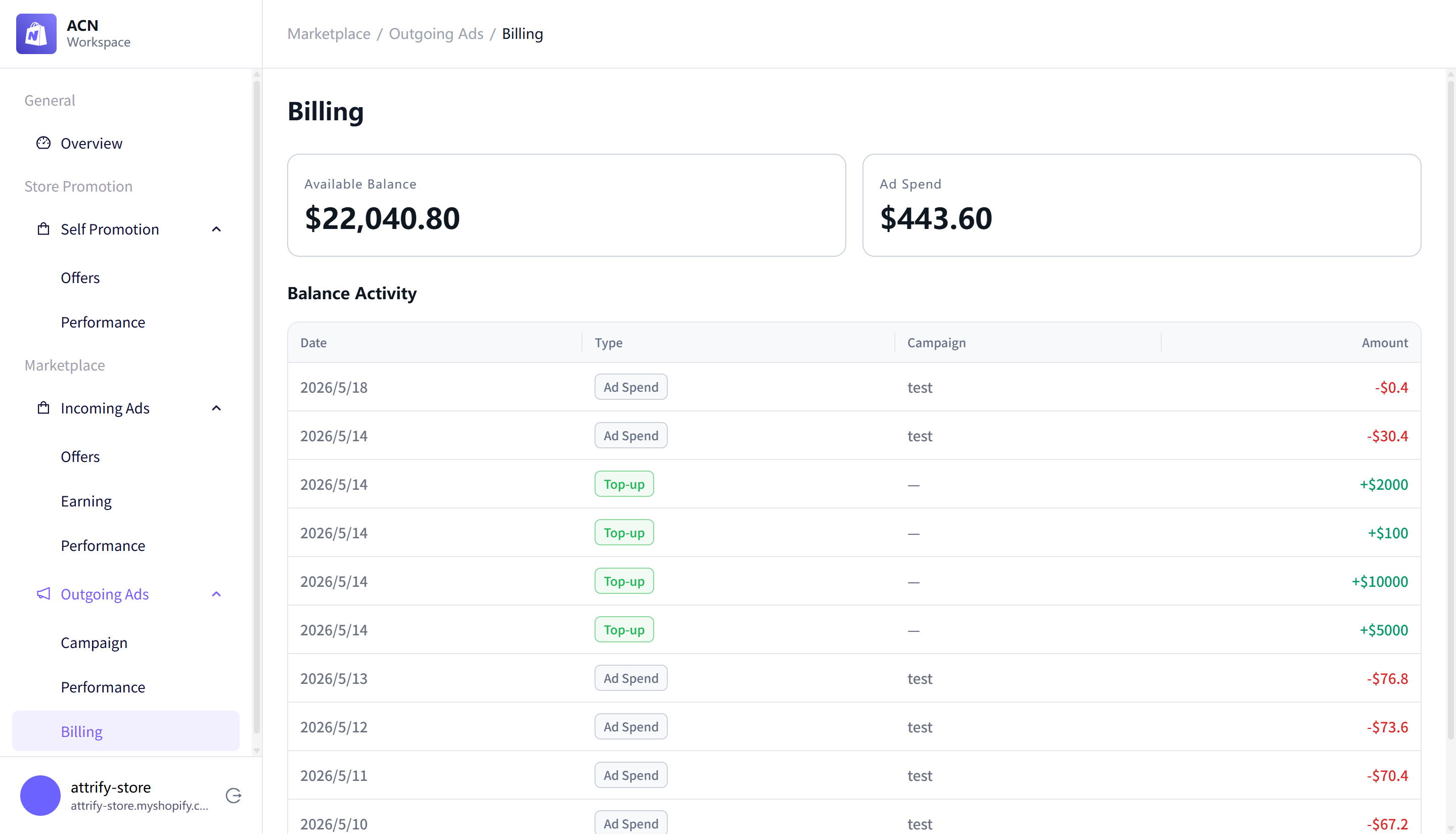
The Billing page includes:
- Available Balance
- Ad Spend
- Balance Activity
The Balance Activity table includes Date, Type, Campaign, and Amount. Balance activity can include ad spend entries and top-up entries.
Which report should I use?
- Use Overview when you want a quick snapshot across all ACN activity.
- Use Store Promotion Performance when you want to compare post-purchase offer results by offer or page.
- Use Incoming Ads Performance when you want to understand earnings from marketplace offers shown on your store.
- Use Outgoing Campaign Performance when you want to compare campaign spend with attributed sales and conversions.
- Use Billing when you want to check available balance, ad spend, or balance activity.