Appearance
Quickstart Guide to Store Promotion
Use Store Promotion to create product offers for post-purchase placements. This quickstart walks through creating an offer, selecting products, choosing placements, and enabling the offer.
Before you begin
Complete the Shopify setup in Installing the ACN App, including:
- Setting ACN as the post-purchase page.
- Adding the ACN block to the Thank You and Order Status pages.
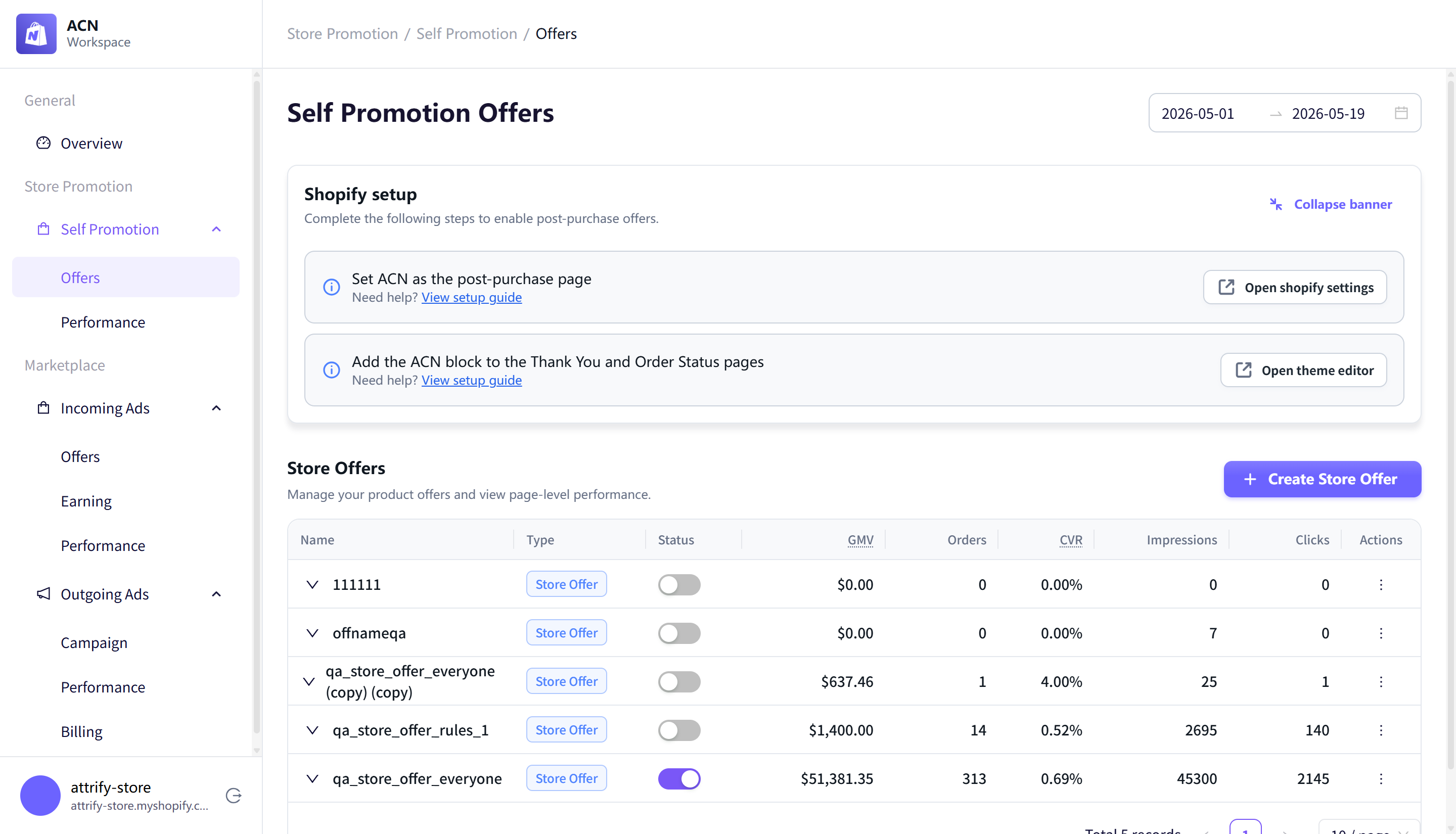
Then open Store Promotion > Self Promotion > Offers and select Create Store Offer.
Step 1: Add a name and eligibility
Enter an offer name and choose who can see the offer.
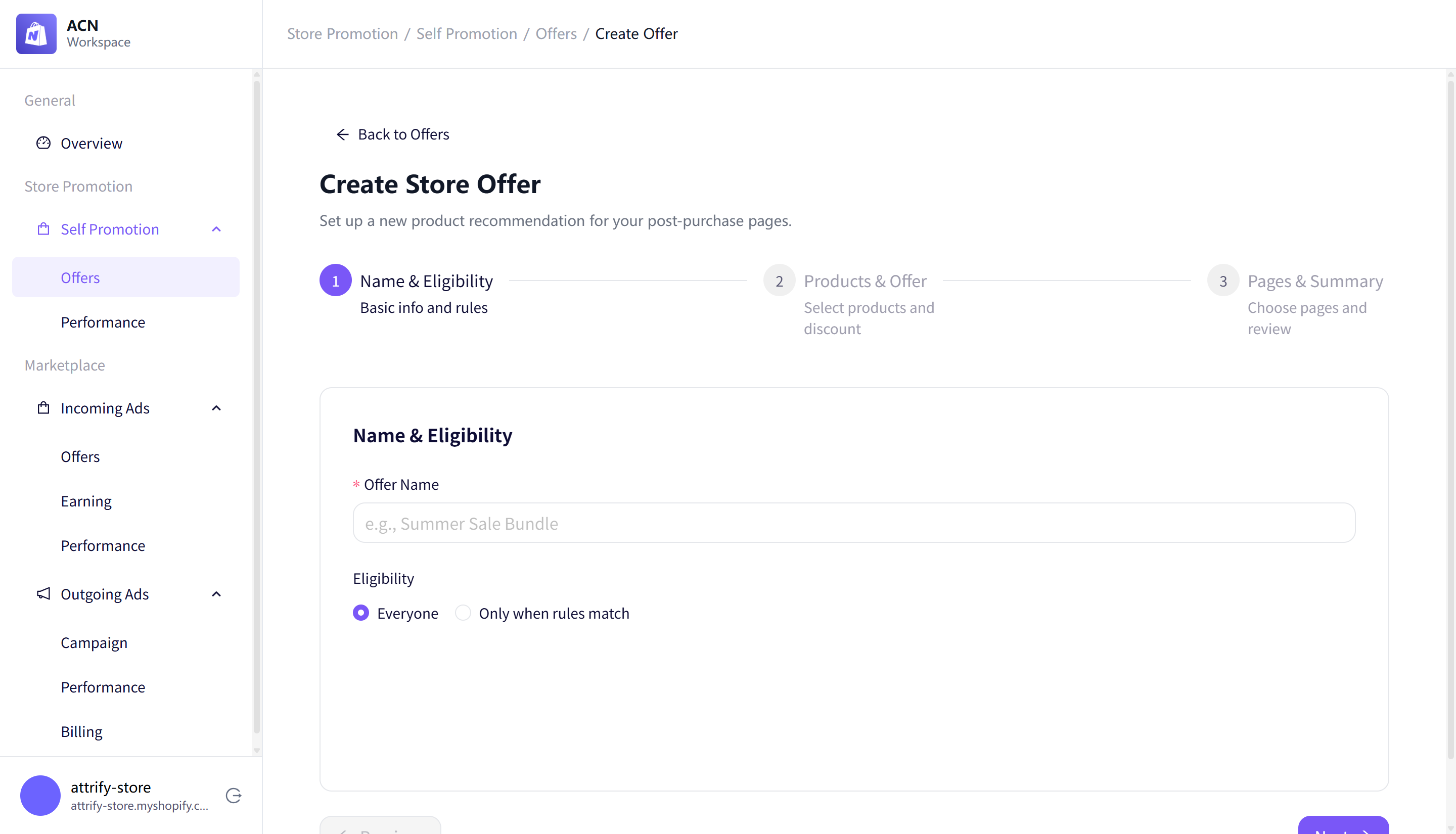
Eligibility options include:
- Everyone
- Only when rules match
Use a clear internal name, such as Post-Purchase Promotion.
Step 2: Select products and offer settings
Choose whether to promote specific products or a Shopify collection, then select up to 10 products.
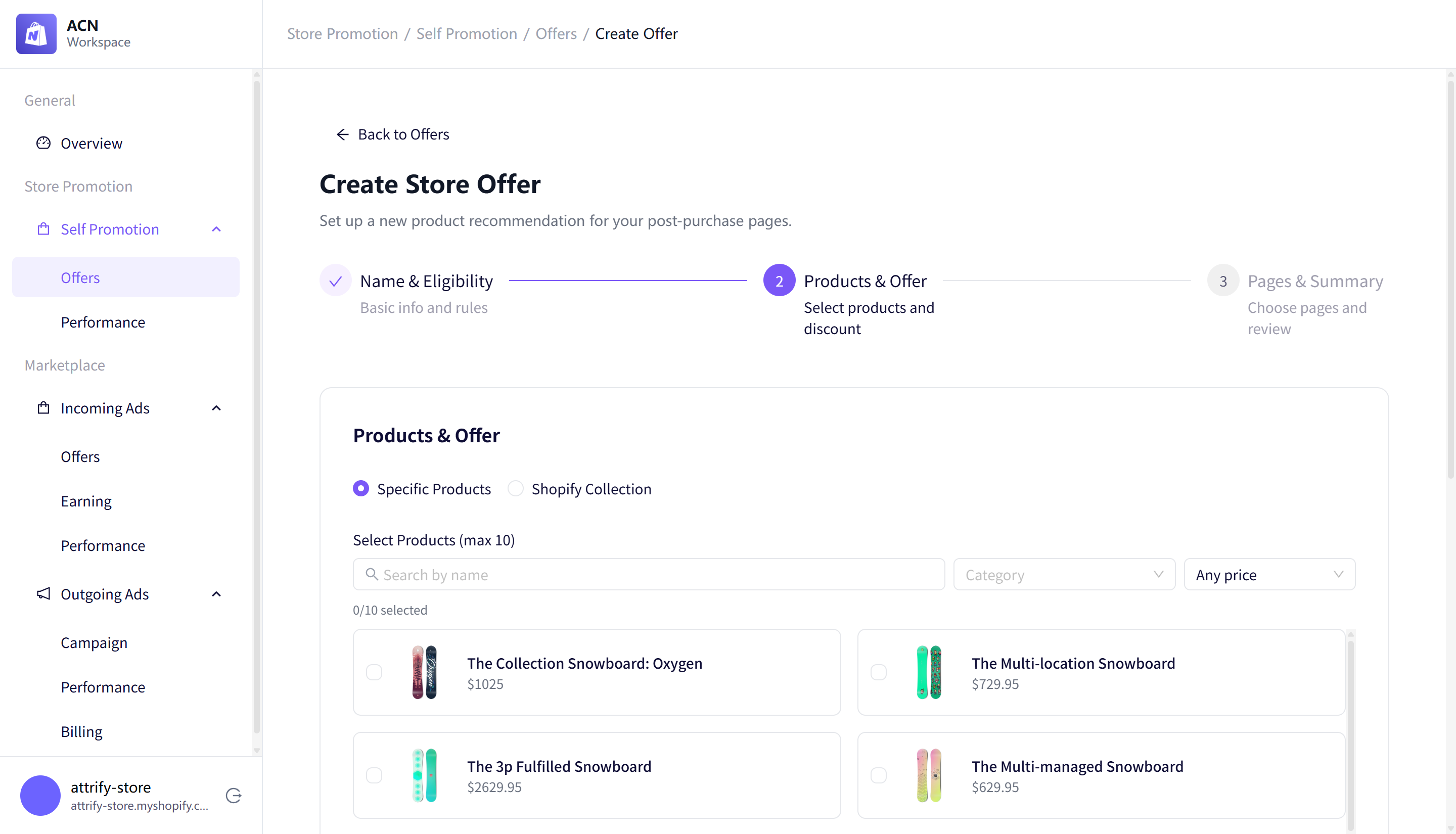
You can also configure:
- Product search and filters.
- Optional discount code and discount percentage.
- Whether to exclude products the customer already purchased.
- Whether to require a confirmation click for post-purchase offers.
If you add a discount, enter both the discount code and the percentage. Leave both fields empty if you do not want to include a discount.
Step 3: Choose placements and review the preview
Select where the offer should appear, then review the mobile and desktop previews.
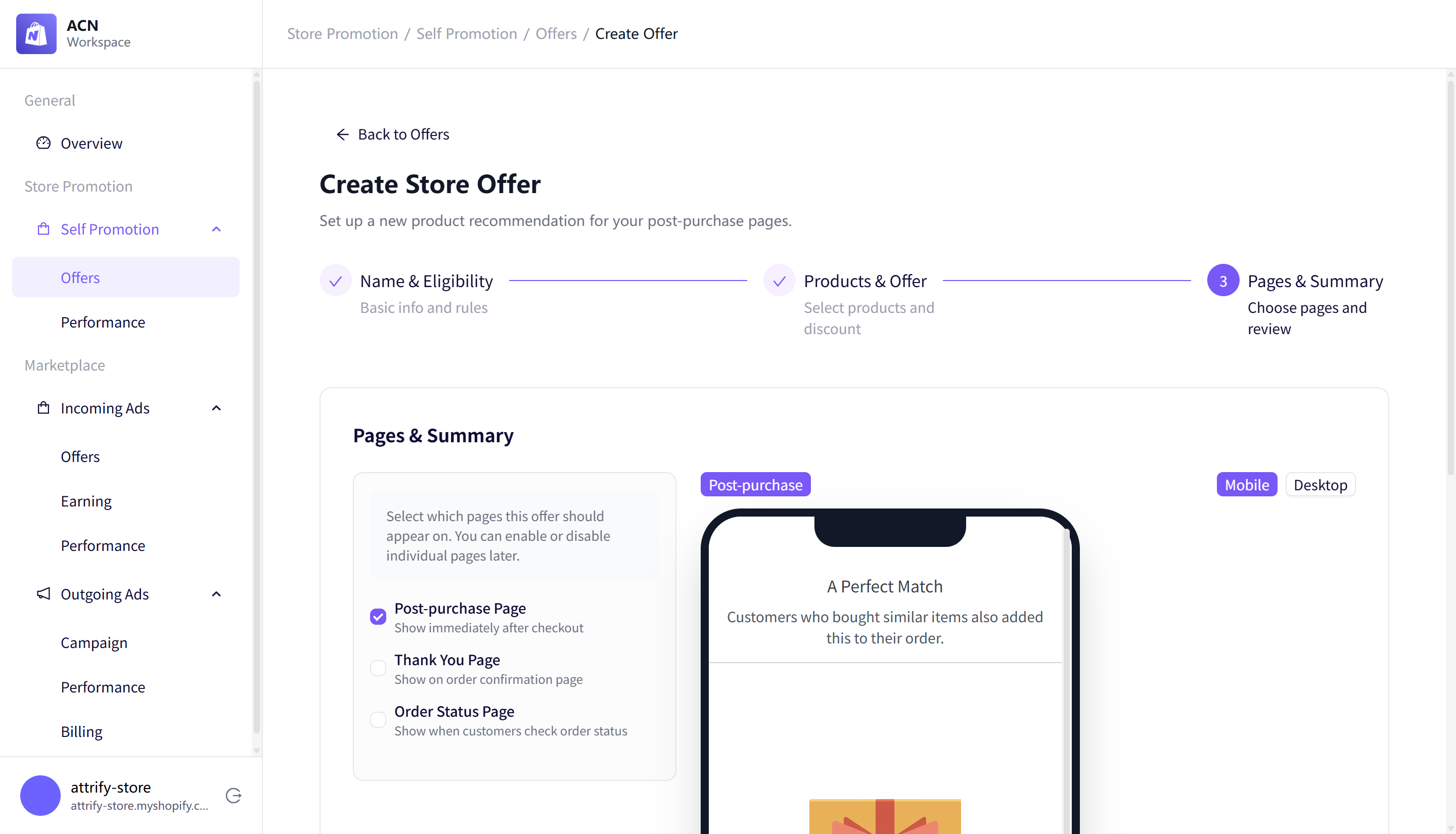
Available placements include:
- Post-purchase Page
- Thank You Page
- Order Status Page
Live results may vary from the preview depending on Shopify page settings and customer context.
Step 4: Create the offer
Select Create to save the offer. New offers appear in the Store Offers table.
Step 5: Enable the offer
Use the status switch in the offer row to start the offer. When the offer is active, the switch turns on and ACN shows a confirmation message.
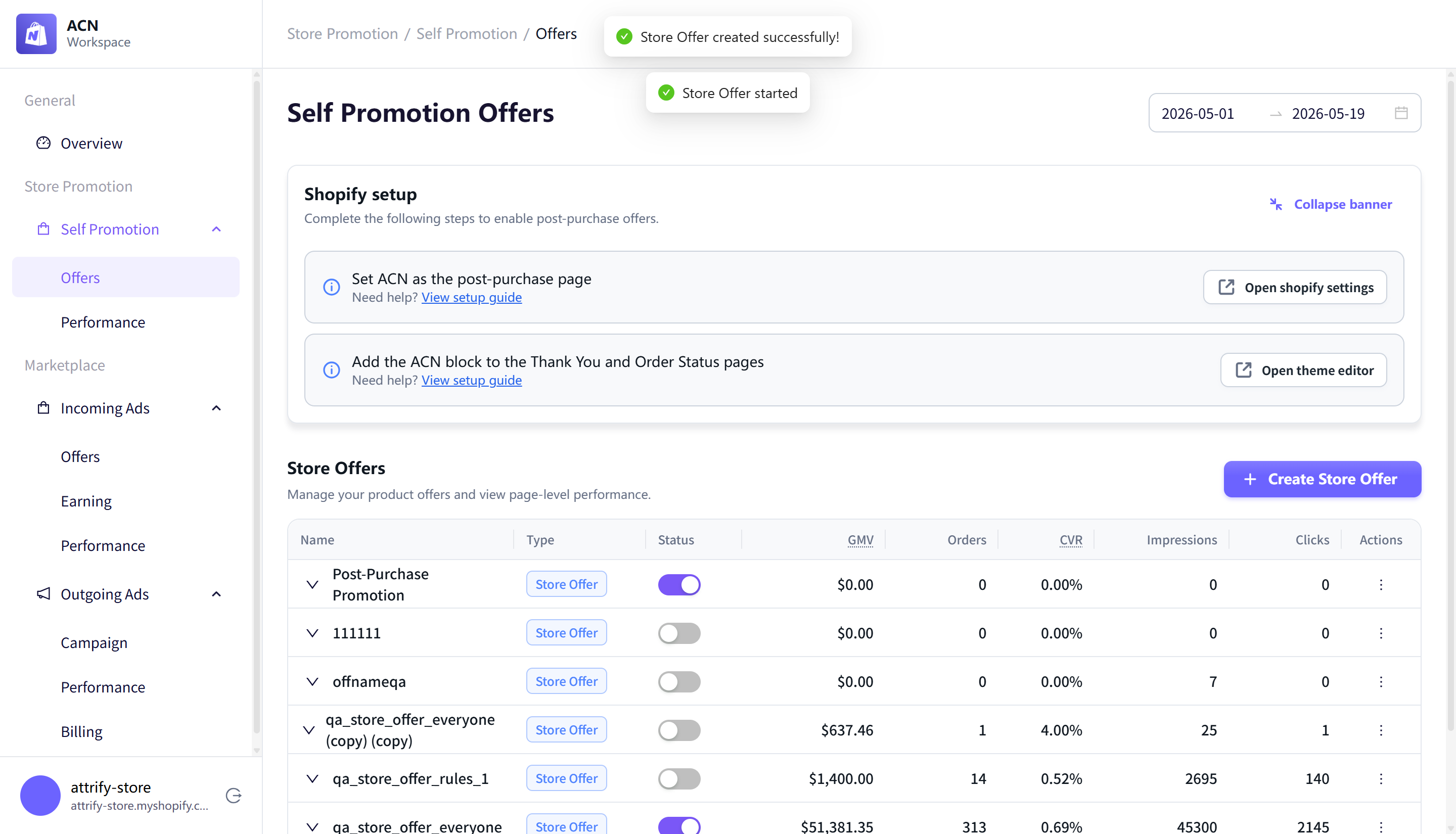
Result
Your store offer is active and can appear on the selected post-purchase pages. Live results may vary from the preview depending on Shopify page settings and customer context.