Appearance
Quickstart Guide to Campaign
Use outgoing campaigns to promote selected products across the marketplace network. This quickstart covers the prerequisites, campaign creation flow, and how to start a campaign.
Before you begin
Before creating a campaign, make sure:
- Marketplace offers are enabled. Open Marketplace > Incoming Ads > Offers and confirm marketplace offer placements are available for your store.
- Shopify setup is complete. If you have not configured ACN in Shopify yet, follow Installing the ACN App.
- Products are available in Shopify. Campaigns promote selected Shopify products.
- Your ad balance and billing setup are ready. Review Reporting if you need to check available balance or balance activity.
Step 1: Open campaign creation
Open Marketplace > Outgoing Ads > Campaign, then select Create Campaign.
Step 2: Enter basic info
Add the campaign name, total budget, and daily budget.
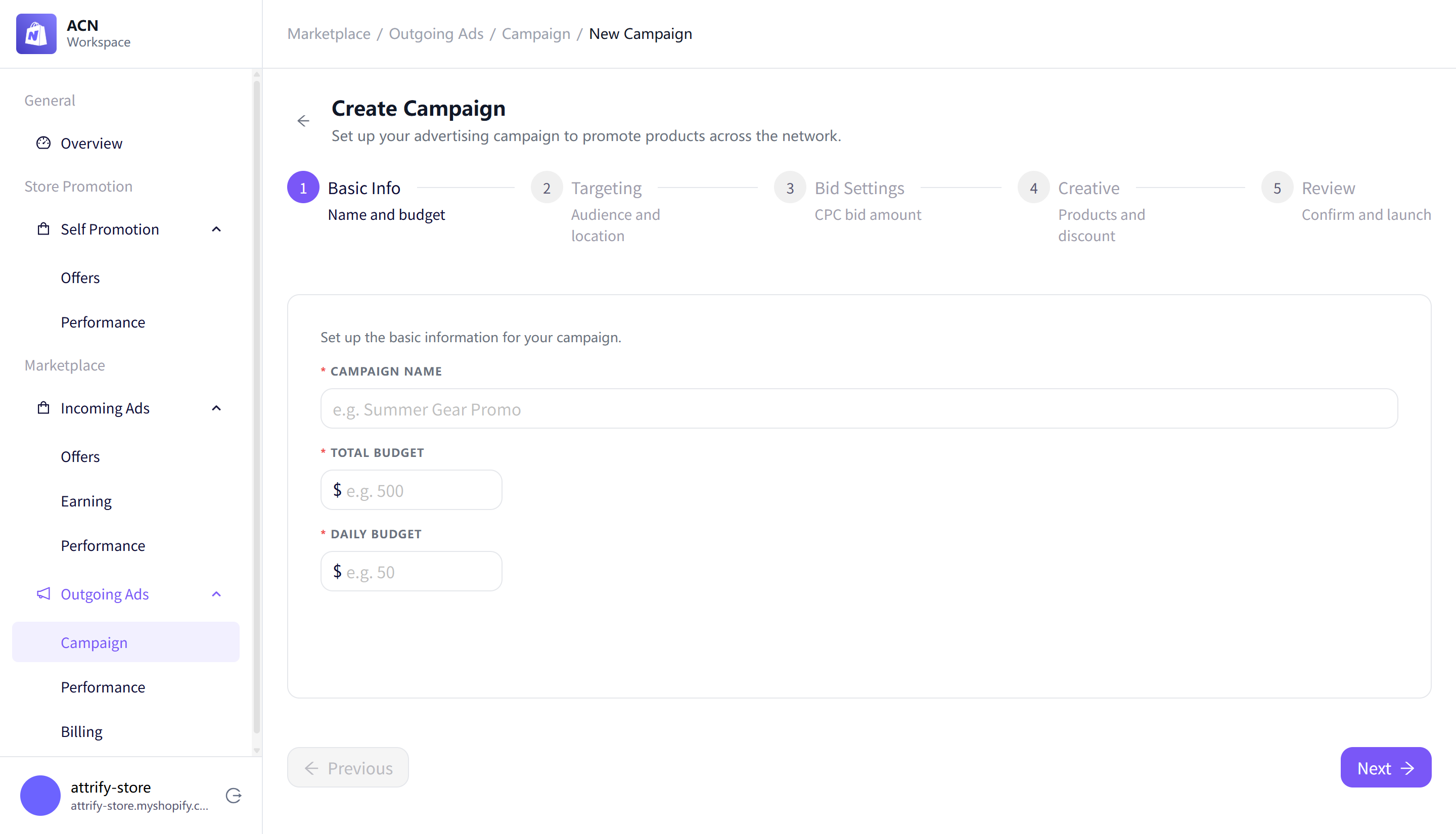
Use a clear campaign name your team can recognize, such as Customer Engagement Campaign.
Step 3: Choose targeting
Use targeting to define which publisher stores and shoppers you want to reach.
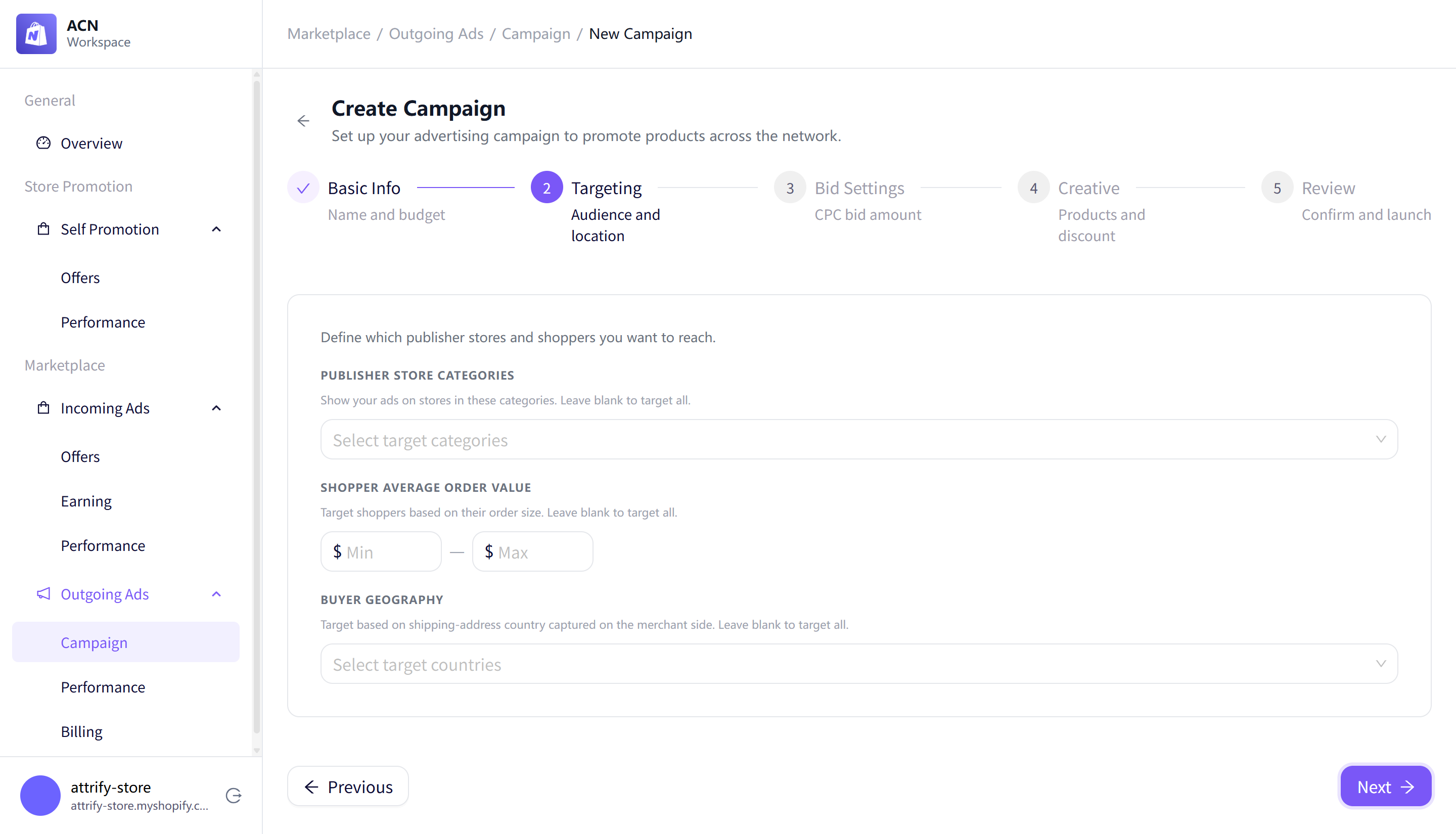
Targeting options include:
- Publisher store categories.
- Shopper average order value range.
- Buyer geography.
Leave these fields blank to target all categories, all order-value ranges, and all countries.
Step 4: Set the CPC bid
Choose how much you are willing to pay per click.
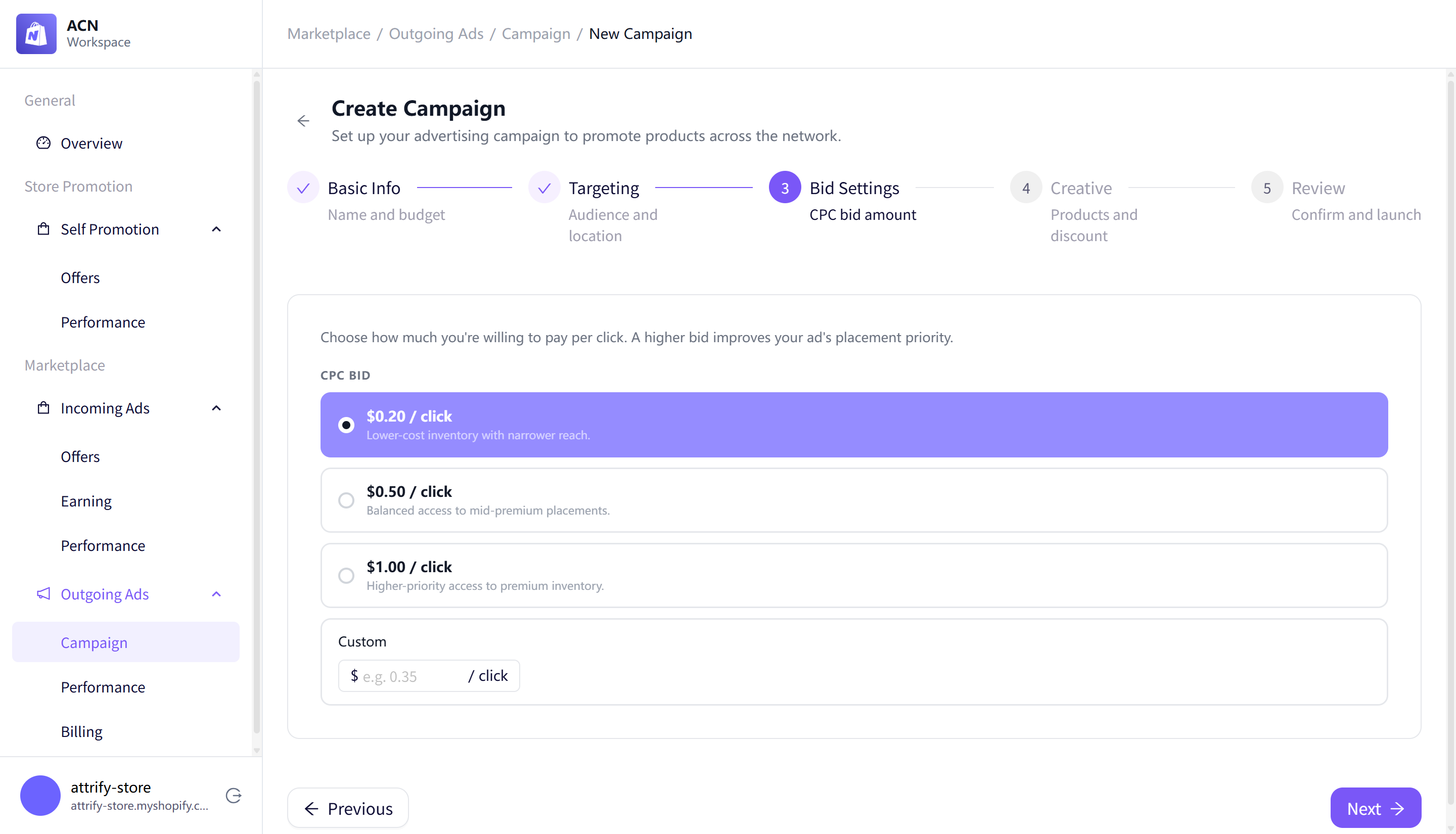
Bid options include:
- $0.20 / click
- $0.50 / click
- $1.00 / click
- Custom
Step 5: Select products and optional discount
Select up to 10 Shopify products to promote.
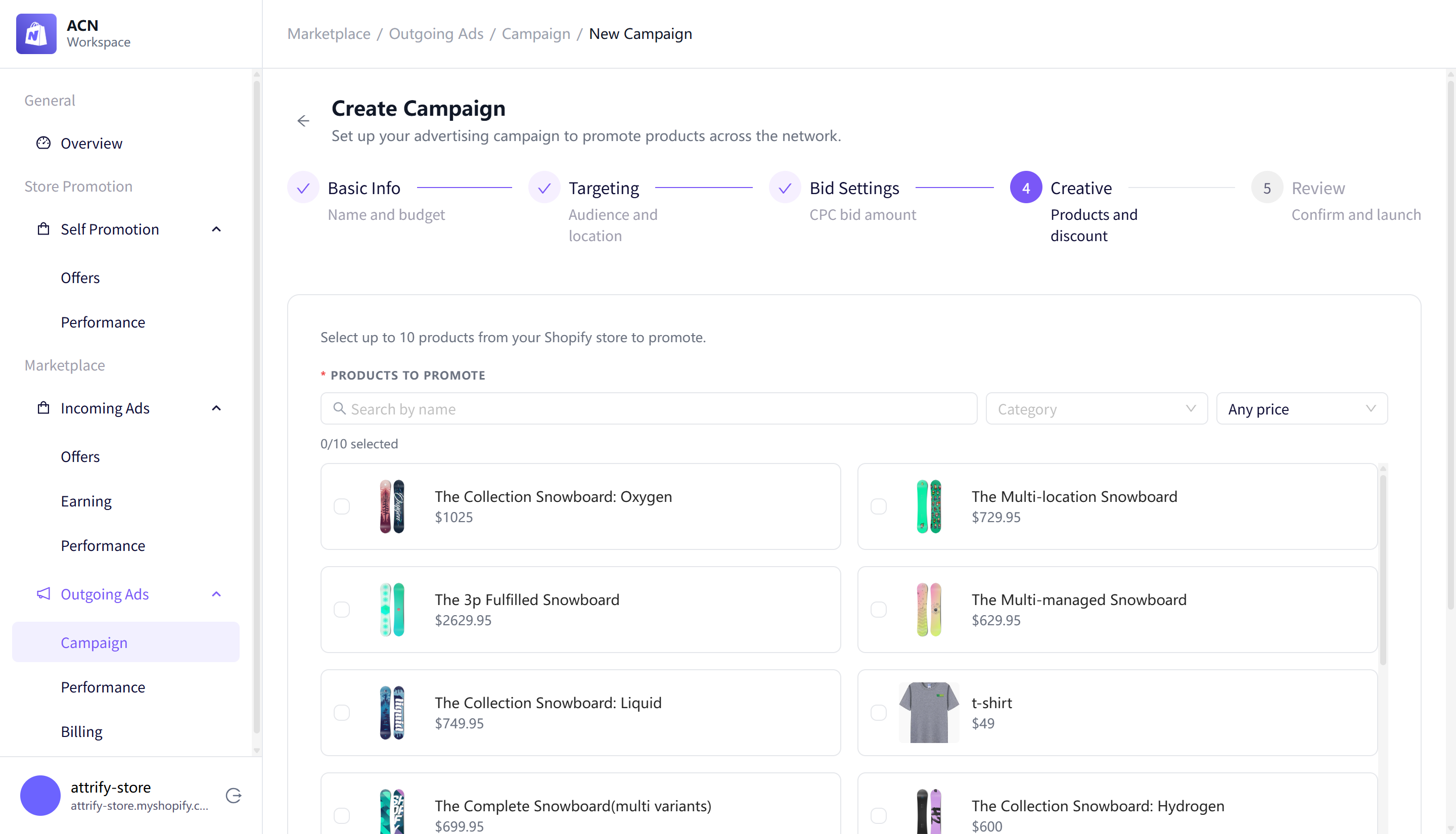
You can also add an optional discount. If you add a discount, enter both discount fields. Leave both fields empty if you do not want to include a discount.
Step 6: Review and create
Review campaign settings before submitting.
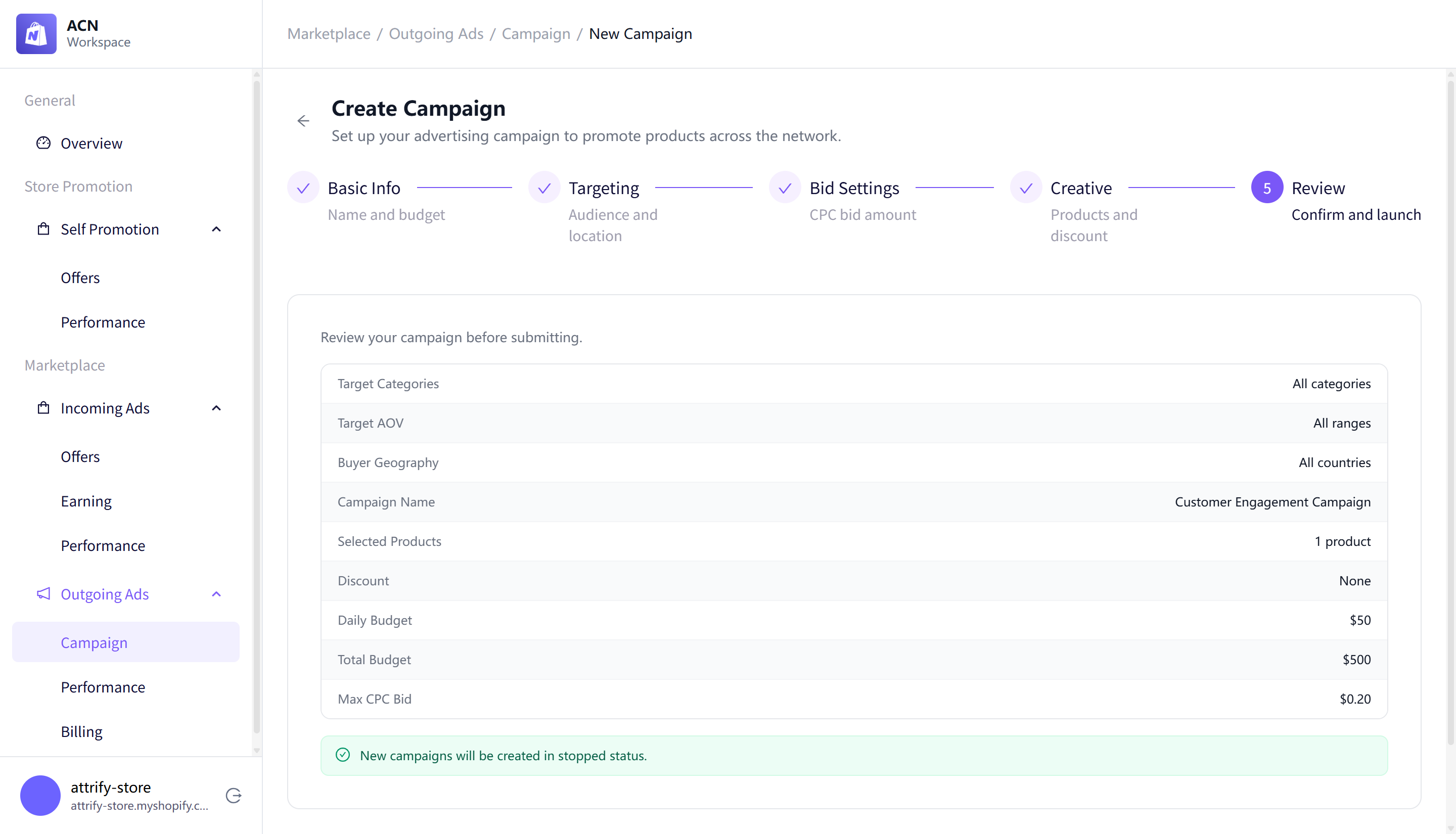
The review page summarizes targeting, campaign name, selected products, discount, budgets, and max CPC bid. New campaigns are created in stopped status.
Step 7: Start the campaign
After creation, the campaign appears in the Campaign table with Stopped delivery status. Use the status switch to start it.
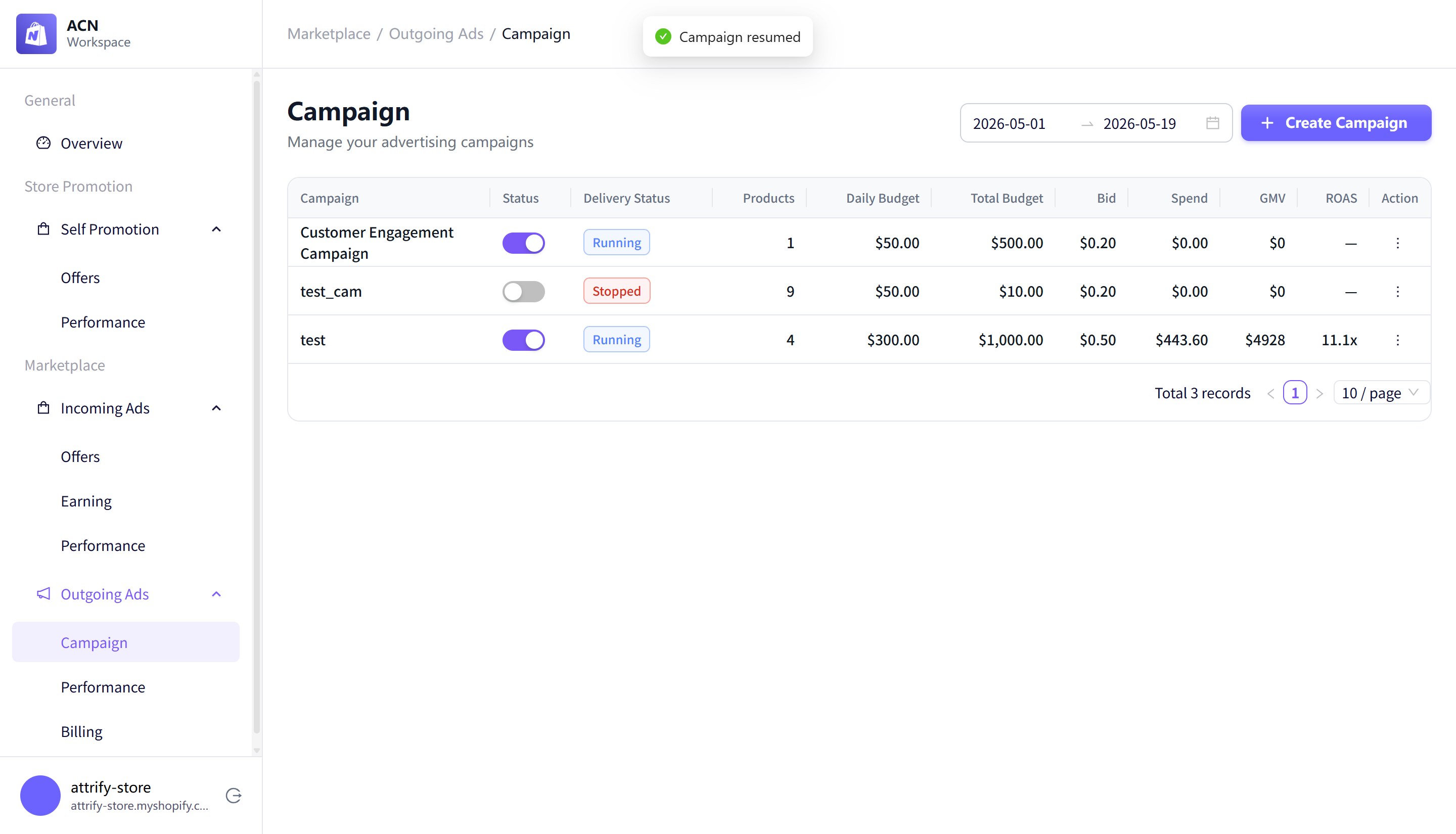
When the campaign starts, its status changes to Running and ACN displays a confirmation message.