Appearance
Manage Marketplace Offers
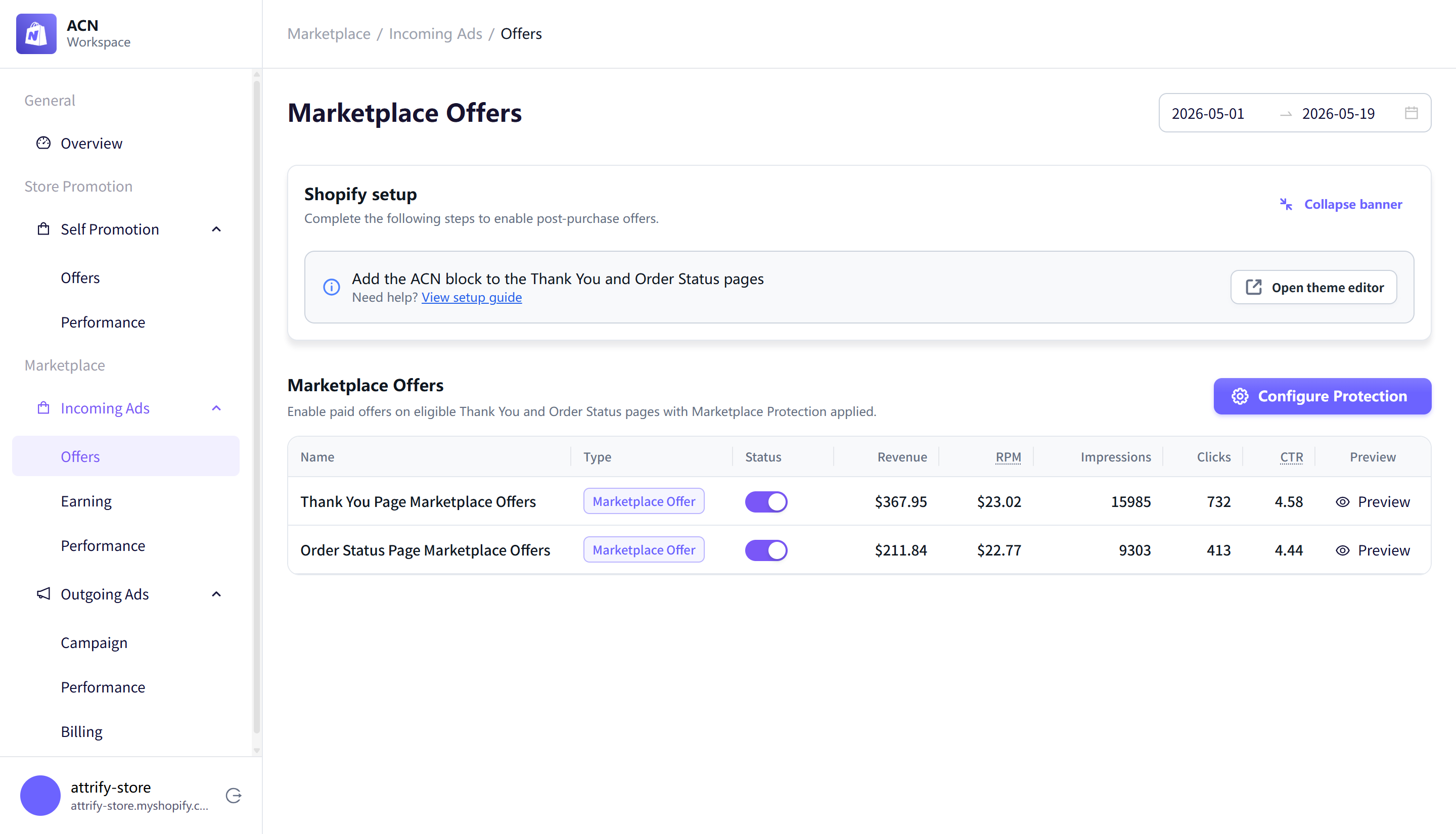
Use Marketplace > Incoming Ads > Offers to manage paid marketplace offers on eligible Thank You and Order Status pages.
Marketplace offer placements
The page includes two marketplace offer placements:
- Thank You Page Marketplace Offers
- Order Status Page Marketplace Offers
The table included columns for status, revenue, RPM, impressions, clicks, CTR, and preview.
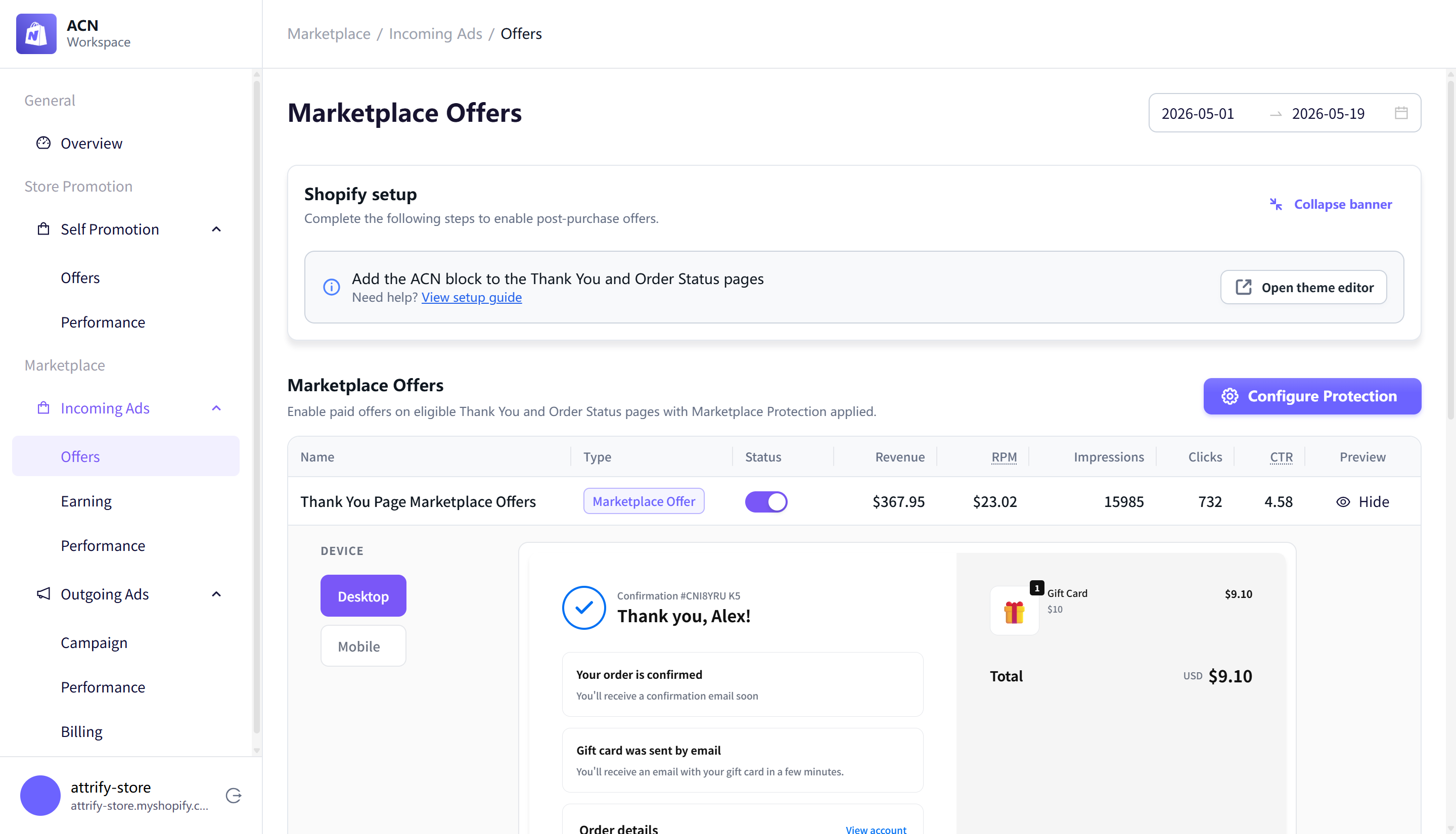
Preview an offer placement
Select Preview to see how a marketplace offer may appear on the selected page. The preview includes device options for desktop and mobile and notes that live results may vary.
Configure Marketplace Protection
Select Configure Protection to open Marketplace Protection settings.
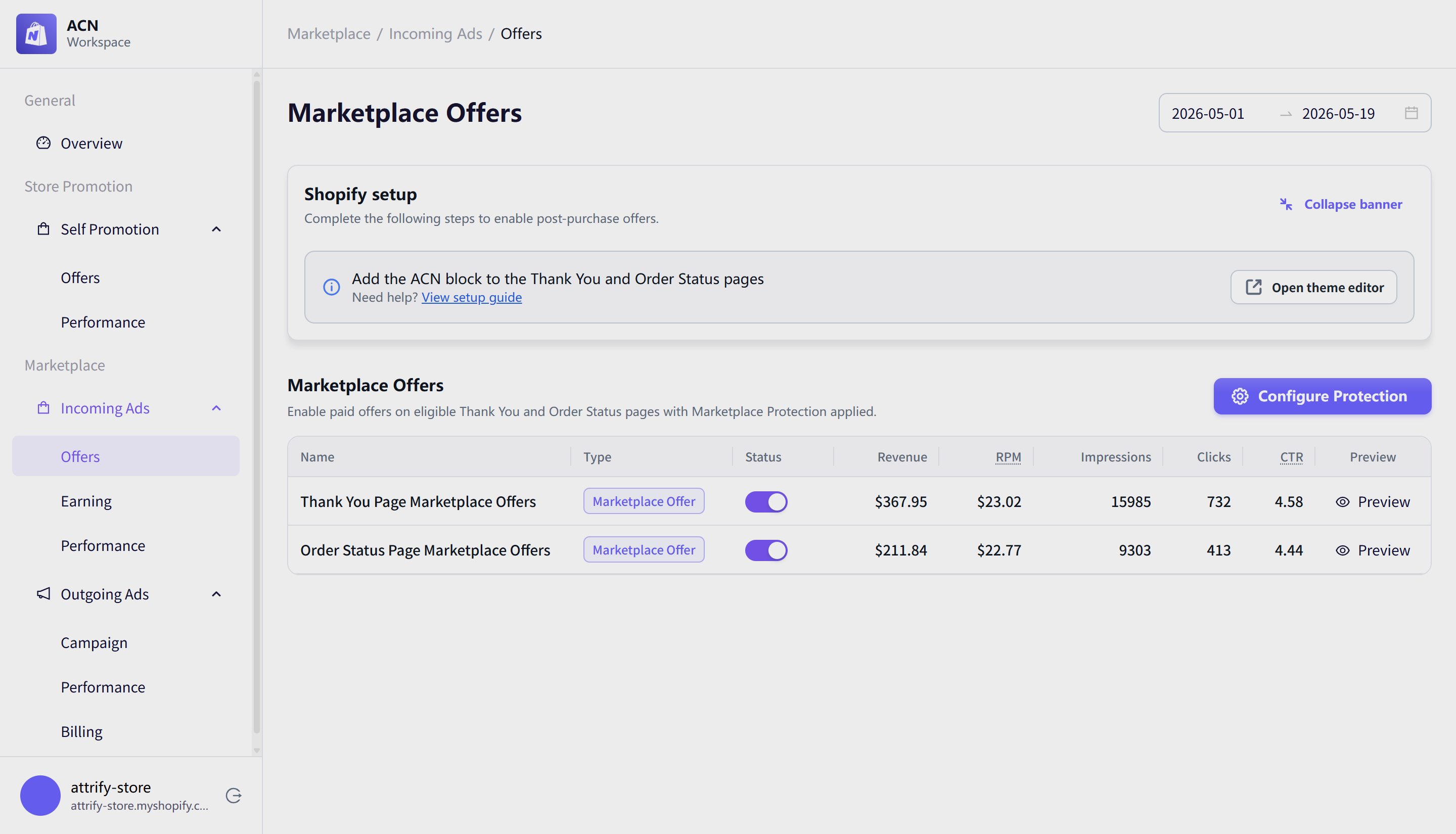
Marketplace Protection lets you prevent certain marketplace offers from appearing to your customers. The protection settings include:
- A count of active protection rules.
- A section to block specific Shopify store domains.
- A section to block categories.
- A close button to return to the Marketplace Offers page.
Add a blocked store domain
Select Add to display a domain field with the placeholder e.g. competitor-store.myshopify.com.
Shopify setup banner
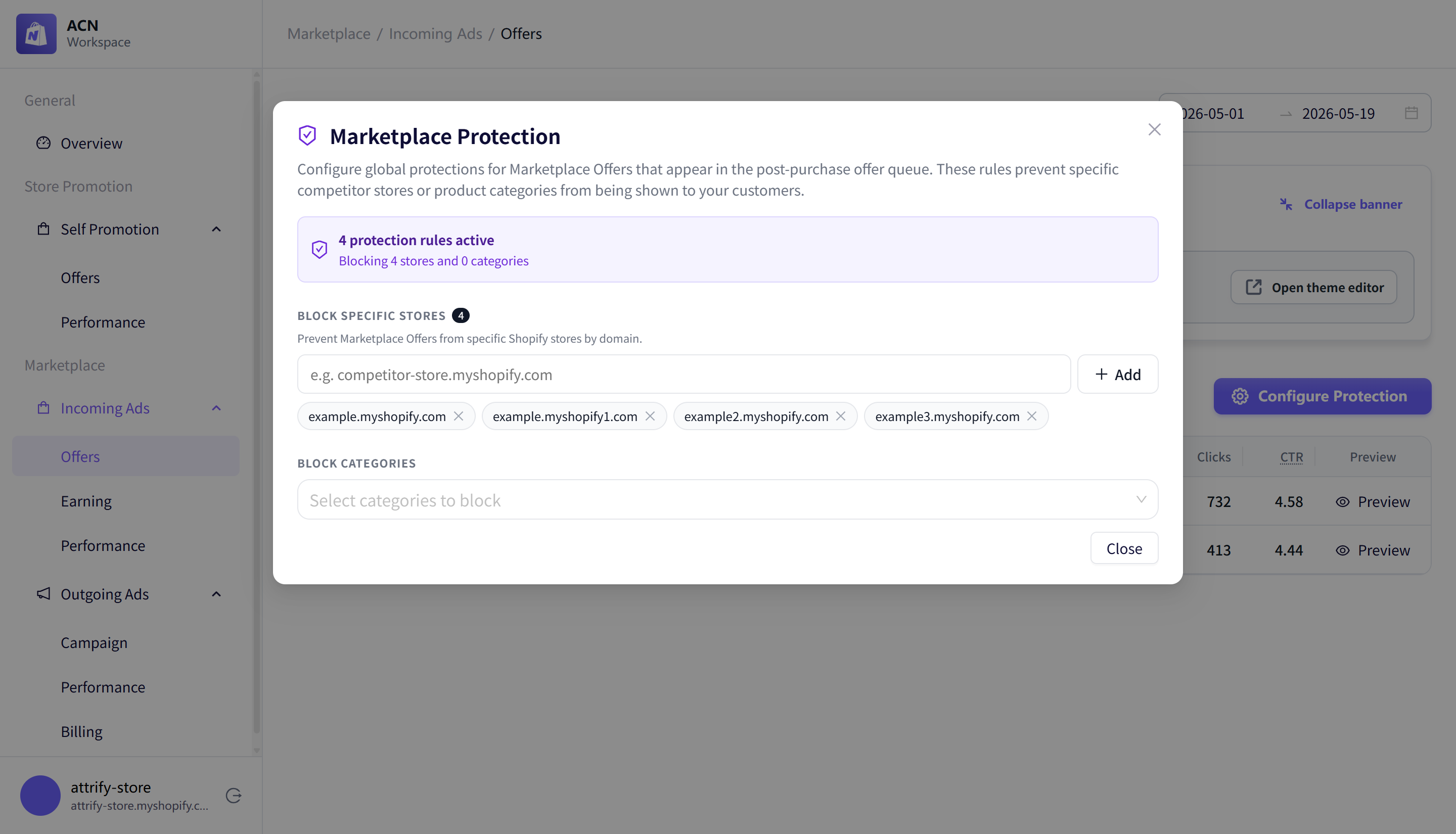
The Marketplace Offers page includes a Shopify setup banner prompting merchants to add the ACN block to the Thank You and Order Status pages. Use the theme editor shortcut when you are ready to complete setup in Shopify.