Appearance
Installing the ACN App
Install ACN from the Shopify App Store, then complete the Shopify setup required for post-purchase and Thank You / Order Status page placements.
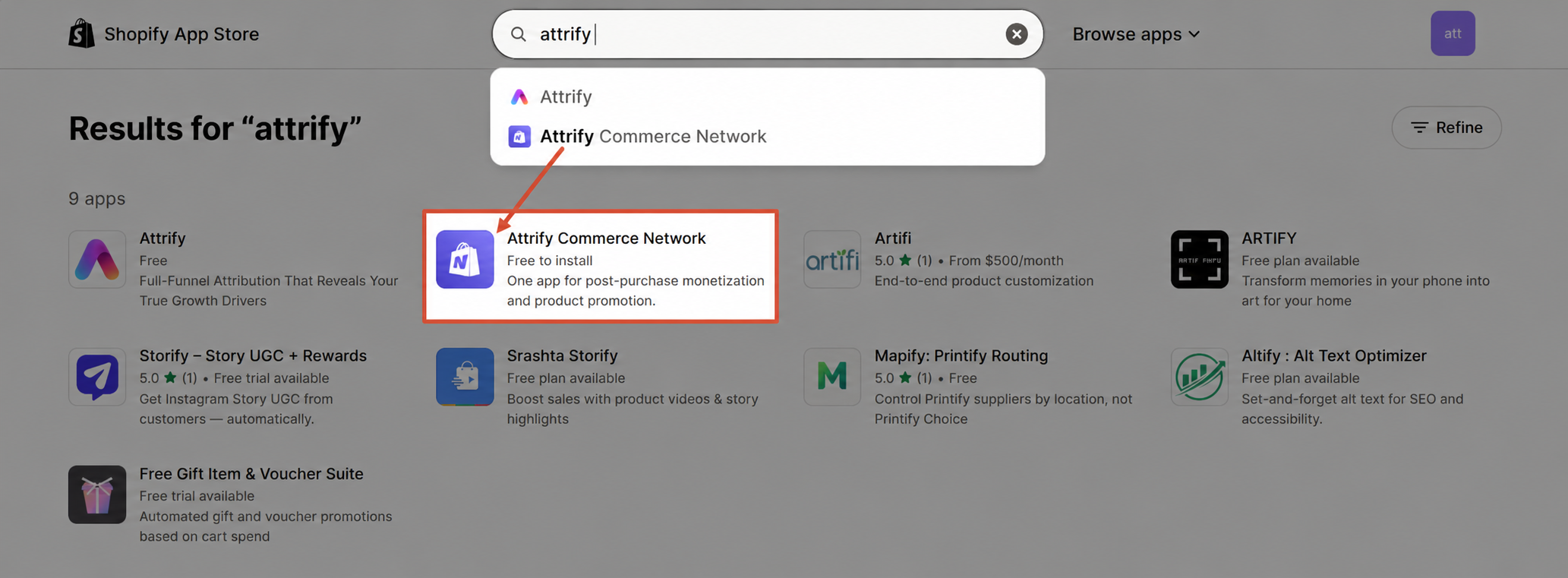
Step 1: Find ACN in the Shopify App Store
Open the Shopify App Store and search for ACN. Select the ACN app listing for your store.
Step 2: Install ACN
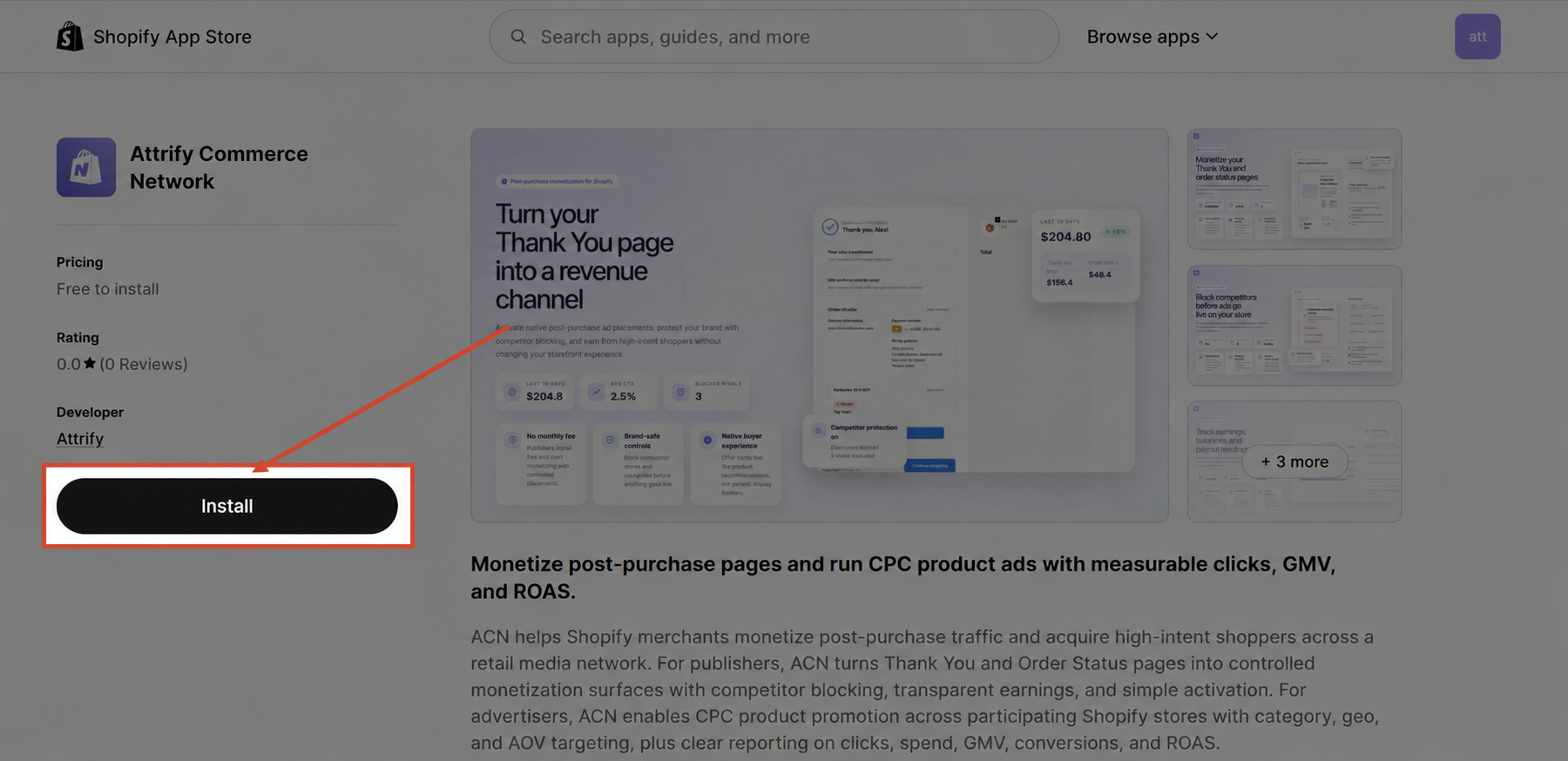
Select Install from the app listing. Shopify will show the permissions ACN needs before installation. Review the permissions, then approve the installation to add ACN to your Shopify admin.
Step 3: Open ACN
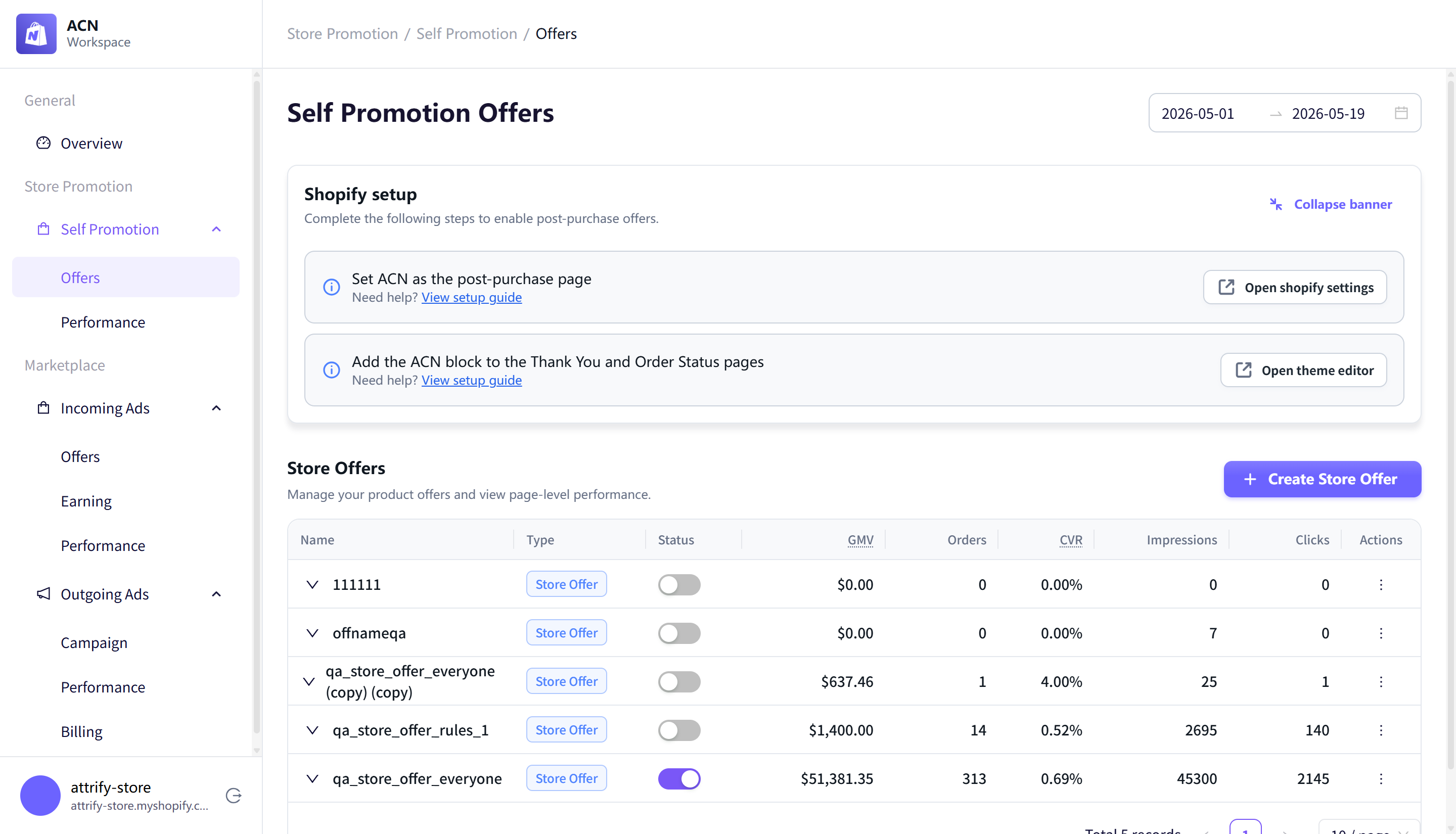
After installation, Shopify automatically redirects you to the ACN dashboard, where you can manage store promotions, marketplace offers, outgoing campaigns, reports, and billing or earnings.
Step 4: Set ACN as the post-purchase page (optional)
To show post-purchase offers, set ACN as your post-purchase page in Shopify checkout settings.
You can start from Store Promotion > Self Promotion > Offers. The setup banner includes a shortcut to the Shopify setting and visible setup guidance.
Step 5: Add ACN blocks to Thank You and Order Status pages (optional)
To show ACN placements on the Thank You and Order Status pages, open Shopify's page editor from the setup banner and add the ACN block to both pages.
Add the ACN block to:
- Thank You Page
- Order Status Page
This setup is required for Store Promotion placements and marketplace offer placements that appear on those pages.